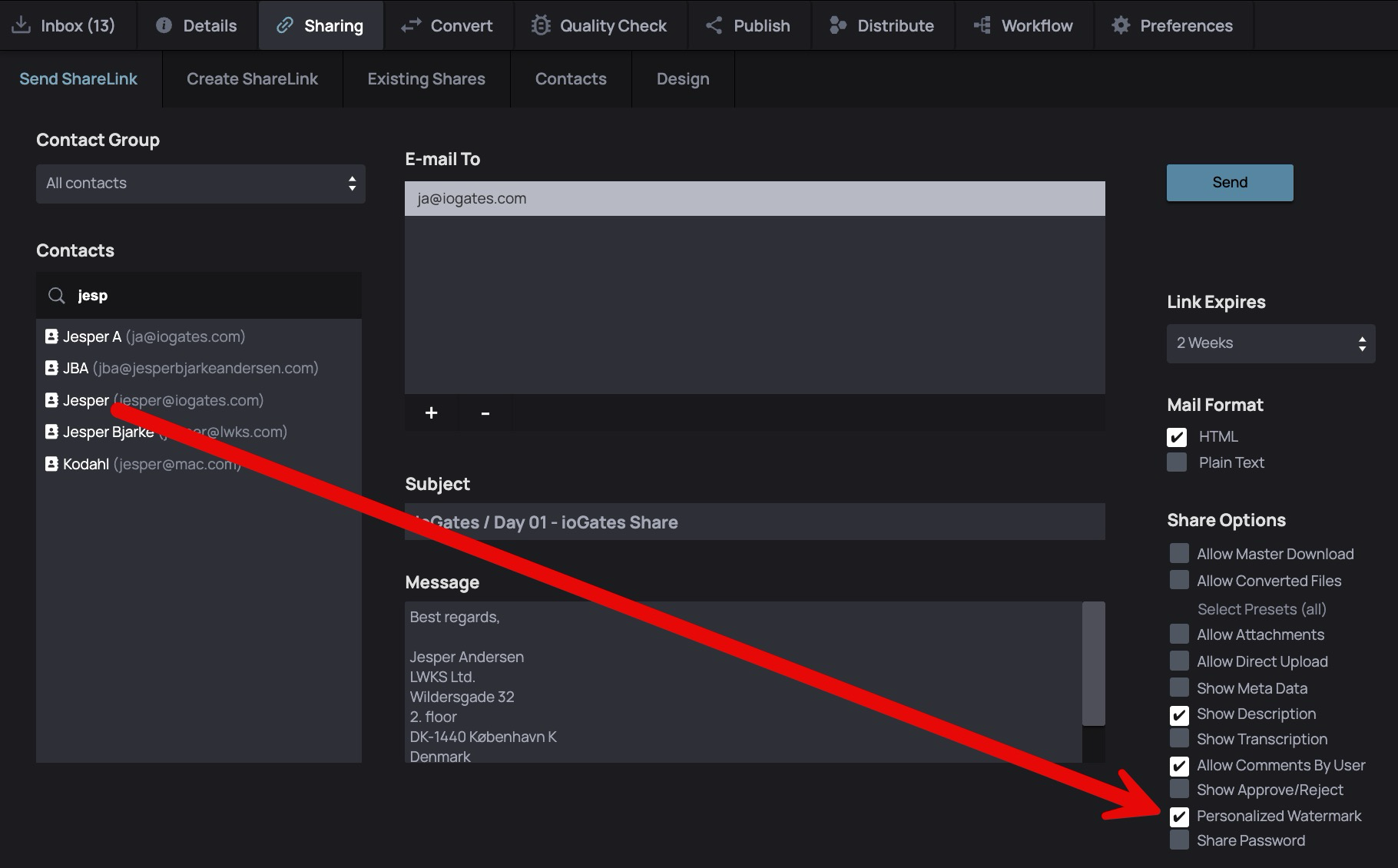
Unlike a standard overlay, this method embeds the receiver's email address directly into the proxy preview, ensuring a unique and secure watermark. Due to the real-time processing required to embed these watermarks, users are advised to anticipate a short delay in the delivery of the ShareLink email, ensuring that the proxy preview is fully prepared before distribution.
Example

Implementing Personalized Watermarking
- Accessing the Feature: Personalized Watermark is available under the sharing menu within the ioGates platform.
- Selecting Content to Share: Choose the file or folder you wish to share and navigate to the sharing menu.
- Activating Watermarking: In the ShareLink options, simply tick the Personalised Watermark checkbox. This action ensures that all intended recipients will receive a proxy preview with their email address seamlessly integrated into the video, enhancing the security of your shared content.